

Tab 3: Distribution and Metadata Information
Tab 3 allows the user to edit MGMG 1.2 Sections 6 (Distribution Information) and 7 (Metadata Information).
Geospatial metadata elements are described in greater detail below.
-
Distribution Contact
Back to topType
compound
Short Name
distinfo
Definition
The party from whom the data set may be obtained.
Guidance
Identify the person or organization that should be contacted regarding the distribution of the data set. Contact information within this element may or may not be the same as that listed for the contact for the data and/or metadata. Edit database table Contact_Information to add or modify available values for this element. After editing elements, select Tools > Refresh from database to see the new or modified values.
See How do I enter and edit contact information? for more help.
Domain
free text
-
Distribution Information
Back to topType
compound
Short Name
distinfo
Definition
Information about the distributor of and options for obtaining the data set.
Domain
None
-
Distribution Liability
Back to topType
text
Short Name
distliab
Definition
Statement of the liability assumed by the distributor.
Guidance
Distribution liability usually consists of one or more standard disclaimers depending on the nature of the data set. If data are obtained from third parties, retain original distribution liability disclaimers if they exist.
An example of a disclaimer:
"No warranty expressed or implied is made regarding the accuracy or utility of the data on any system or for general or scientific purposes, nor shall the act of distribution constitute any such warranty. It is strongly recommended that careful attention be paid to the contents of the metadata file associated with these data to evaluate data set limitations, restrictions or intended use. The distributing agency shall not be held liable for improper or incorrect use of the data described and/or contained herein.""This is a licensed product by [insert licensor here] for use within the distributing agency. No third party copy or use of this product will be permitted."
Edit database table 3b_DistributionLiability to add a default value for this element. Be sure to check default to have this value load when the D is pressed. After editing elements, select Tools > Refresh from database to see the new or modified values.
Domain
free text
-
Distributor's Data Set Identifier
Back to topType
text
Short Name
resdesc
Definition
The identifier by which the distributor knows the data set.
Domain
free text
-
Metadata Contact
Back to topType
compound
Short Name
metc
Definition
The party responsible for the metadata information.
Guidance
Provide information regarding who should be contacted about the metadata specifically. The contact person should be an individual who is knowledgeable about the metadata, and may be able to answer questions about the metadata record, as opposed to the data specifically (this may also be the same person as the data set point of contact).
Edit database table Contact_Information to add or modify available values for this element. After editing elements, select Tools > Refresh from database to see the new or modified values.See How do I enter and edit contact information? for more help.
Domain
None
-
Metadata Date
Back to topType
date
Short Name
metd
Definition
The date that the metadata were created or last updated.
Domain
Date in this format:
- YYYY if just the year is known (e.g., 2015)
- YYYYMM if the year and month are known (e.g., 201507, representing July 2015)
- YYYYMMDD if the year, month and day are known (e.g., 20150704, representing July 4, 2015)
MME does not enforce this formatting. If the formatting is input incorrectly (e.g., MMDDYYYY), the date shown in the HTML will likely be incorrect. If text is typed in, e.g., "July 4, 2015", it will likely be correct in the HTML but will not support date searches.
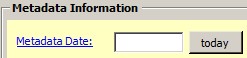
Click on the "today" button to input today's date.
-
Metadata Future Review Date
Back to topType
date
Short Name
metfrd
Definition
The date by which the metadata entry should be reviewed.
Domain
free date
This date should be documented in YYYY, YYYMM, or YYYMMDDD format, with Y=year, M=month, D=day. No slashes are permitted.
-
Metadata Information
Back to topType
compound
Short Name
metainfo
Definition
Information on the currentness of the metadata information, and the responsible party.
Domain
None
Edit database table Contact_Information to add or modify available values for this element. After editing elements, select Tools > Refresh from database to see the new or modified values.
-
Metadata Standard Linkage
Back to topType
text
Short Name
onlink
Definition
The name of an Internet site or other online resource that contains a description of the metadata standard or guidelines. Entries should follow the Uniform Resource Locator (URL) convention of the Internet. Include "http://" in URLs.
Domain
Examples:
Edit database table 3c_MetadataStandard to add a default value for this element. Be sure to check default to have this value load when the D is pressed. After editing elements, select Tools > Refresh from database to see the new or modified values.
MnGeo MGMG 1.2 Standard link:
"https://www.mngeo.state.mn.us/committee/standards/mgmg/metadata.htm"
-
Metadata Standard Name
Back to topType
text
Short Name
metstdn
Definition
The name of the metadata standard used to document the data set.
Guidance
Typically, the value for this field will be 'Minnesota Geographic Metadata Guidelines'.
Edit database table 3c_MetadataStandard to add a default value for this element. Be sure to check default to have this value load when the D is pressed. After editing elements, select Tools > Refresh from database to see the new or modified values.
Domain
free text
-
Metadata Standard Version
Back to topType
text
Short Name
metstdv
Definition
Identification of the version of the metadata standard used to document the data set
Guidance
The value for this field should be "1.2" for MGMG.
Edit database table 3c_MetadataStandard to add a default value for this element. Be sure to check default to have this value load when the D is pressed. After editing elements, select Tools > Refresh from database to see the new or modified values.
Domain
free text
-
Online Linkage
Back to topType
text
Short Name
onlink
Definition
The name of an online computer resource that contains the data set.
Guidance
The url will be saved in the XML version of the metadata.
In the HTML version of the metadata, this field will read:
I AGREE to the notice in "Distribution Liability" above. Clicking to agree will either begin the download process, link to a service, or provide more instructions. See "Ordering Instructions" above for details.The "I AGREE" text will hyperlink to the URL.
Edit database table 3d_OnlineLinkage to add or modify available values for this element. After editing elements, select Tools > Refresh from database to see the new or modified values.
Domain
Examples:
- Location where a dataset can be downloaded: "https://gisdata.mn.gov/dataset/bdry-mn-city-township-unorg"
- MnGeo Image Services (WMS Connector): "https://imageserver.gisdata.mn.gov/cgi-bin/wms?version=1.2.0&request=getcapabilities&service=wms"
- Feature Services (WFS Connector): "http://geodata.epa.gov/wfsconnector/com.esri.wfs.Esrimap/NPL_FS?request=getcapabilities&service=wfs"
-
Ordering Instructions
Back to topType
text
Short Name
ordering
Definition
Instructions for obtaining the data set.
Guidance
Include instructions for obtaining custom order. If applicable, include instructions for obtaining the data set using the URL in the Online Linkage element just above on this Tab.
Edit database table 3e_OrderingInstructions to add a default value for this element. Be sure to check default to have this value load when the D is pressed. After editing elements, select Tools > Refresh from database to see the new or modified values.
Domain
free text